

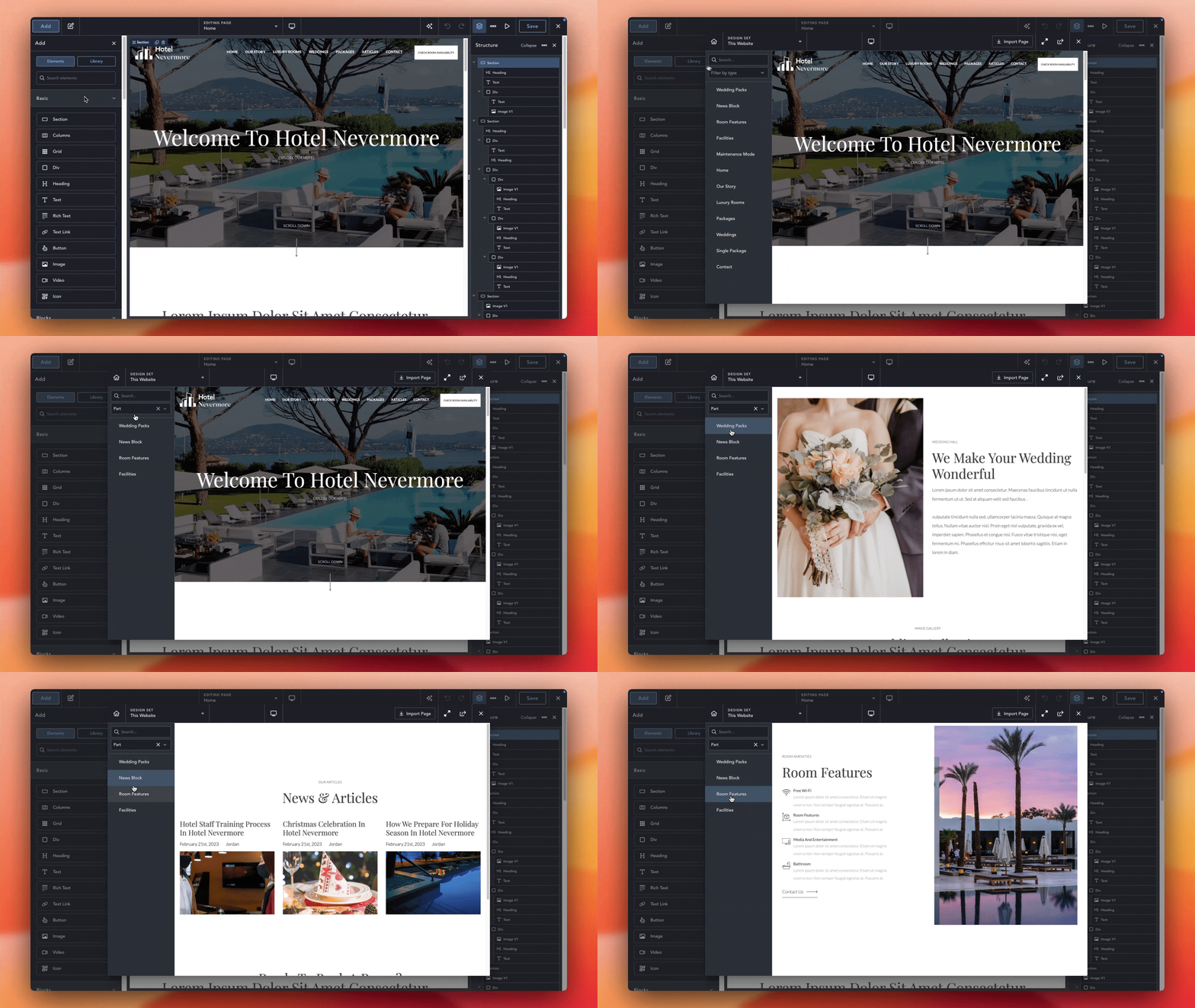
Design Library Parts let you save and reuse sections that you can easily use across your website, or other websites that you’ve shared your Design Set with. Whether you’re creating Hero banners, CTAs, Pricing Tables, or any other layout you’d like to include.
Design Library Parts are different from Global Blocks as Design Library Parts can be edited after they’re added to a design, and any updates to the Design Library Part will not impact any pages you’ve previously used the Design Library Part on.
To create a Design Library Part, you first need to make your site a Design Set. Once enabled, you’ll see an option to create a Design Library Part either in the WordPress Admin area, or using the Quick Navigator.
After you create a Design Library Part, you can edit it in Breakdance as you wish.
If you make updates to a Design Library Part, the updates will not affect anywhere you’ve already used the Design Library Part.
It is very easy to use Design Library Parts on your website.
After you add the Design Library Part to the page, you can edit to the content as you wish. The edits only apply to the current page and the original Design Library Part remains unchanged.
